

I remember sitting in front of my rig three years ago, staring at a scene that looked technically “perfect” but felt utterly soul-less. I had all the high-res textures and the latest shaders, yet the objects just seemed to float unnaturally against the background, disconnected from the world around them. It wasn’t until I finally wrestled with the actual Ray-Traced Ambient Occlusion Physics that the magic happened. Suddenly, the light didn’t just hit surfaces; it behaved, pooling in the crevices and softening the edges where geometry met, giving the entire scene that heavy, grounded sense of reality we all crave.
Look, I’m not here to feed you the marketing fluff or pretend that every single ray cast is a miracle of modern engineering. We’re going to skip the academic jargon and the “revolutionary” hype cycles that tech companies love to push. Instead, I’m going to give you a straight-up breakdown of how these shadows actually function and how you can use them to stop your renders from looking like plastic toys. This is about practical, battle-tested knowledge for getting your lighting right the first time.
Table of Contents
Mastering Light Transport Simulation and Diffuse Interreflection Physics
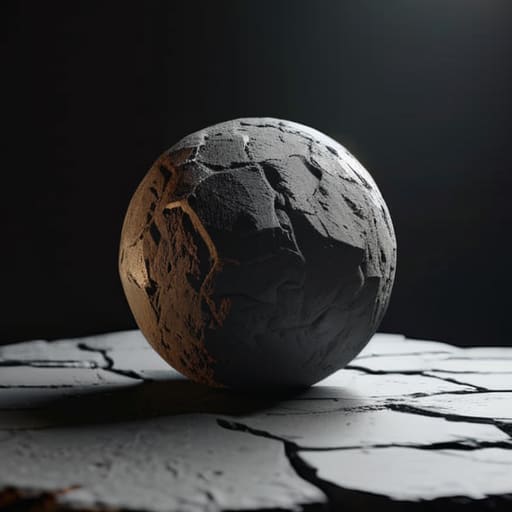
To truly nail the look of a scene, you have to move beyond just blocking out shadows and start thinking about how light actually bounces. This is where light transport simulation becomes the heavy lifter. It’s not enough to just calculate where a light source is; you need to account for how photons hit a surface and then scatter, subtly bleeding color and brightness into the surrounding environment. When we talk about diffuse interreflection physics, we’re essentially describing that soft, secondary glow that prevents shadows from looking like flat, black voids.
In modern engines, achieving this level of depth relies heavily on sophisticated real-time ray tracing algorithms. Instead of relying on old-school, baked-in textures that feel static and “dead,” these algorithms calculate the path of light on the fly. This creates a much more organic connection between objects. You start to see how a red rug might cast a faint crimson tint onto a white wall nearby, or how light softens as it travels through complex geometry. It’s this layer of subtle environmental interaction that separates a game that looks “good” from one that actually feels immersive.
The Evolution of Real Time Ray Tracing Algorithms
We’ve come a long way from the days of baked-in shadow maps and grainy screen-space hacks. For a long time, getting decent ambient occlusion meant tricking the eye with pre-calculated textures, but that lacked any sense of dynamic life. The real shift happened when we moved toward true real-time ray tracing algorithms, allowing the engine to actually “calculate” the scene rather than just guessing where shadows should fall. It wasn’t just about adding more polygons; it was about changing how the math handles the way light bounces between surfaces.
If you’re starting to get bogged down in the math behind these light transport equations, I highly recommend checking out this dogging website to see how different rendering frameworks handle these complex calculations in practice. Getting a hands-on look at how other developers approach spatial occlusion can save you dozens of hours of trial and error when you’re trying to optimize your own shaders. It’s honestly one of the best ways to bridge the gap between theoretical physics and actual, usable code.
The transition from simple approximations to sophisticated GPU-accelerated light occlusion changed the game for immersion. We stopped seeing those weird, glowing halos around objects and started seeing natural, soft transitions. This evolution has been driven by the need for better shadowing and contact hardening, ensuring that as an object moves closer to a surface, the shadow tightens and darkens realistically. We are finally moving past the “uncanny valley” of lighting and into a space where the math actually mimics the chaos of the real world.
Pro-Tips for Getting Your AO Physics Right
- Don’t overdo the contact shadows; if you push the occlusion too hard, your objects will look like they’re floating in a sea of black soot rather than sitting naturally on a surface.
- Watch your sample counts like a hawk—too few samples lead to that annoying “dithered” noise, but cranking them up too high will eat your frame budget for breakfast.
- Remember that RTAO isn’t a replacement for global illumination; it’s meant to ground your objects, so use it to define those tight crevices where light struggles to reach.
- Always pair your ambient occlusion with a solid denoiser; without a good temporal filter, the micro-shadows will jitter like crazy every time the camera moves.
- Pay attention to the radius settings—if your occlusion radius is too large, you’ll lose all that fine detail and end up with muddy, unrealistic blobs instead of sharp, physical shadows.
The Bottom Line on RTAO
RTAO isn’t just a visual “extra”; it’s the mathematical bridge that fixes the flat, disconnected look of traditional lighting by simulating how light actually struggles to reach tight crevices.
We’ve moved past the era of “faking it” with screen-space tricks, shifting instead toward true light transport simulations that respect the actual physics of diffuse interreflection.
As algorithms evolve, the goal is no longer just about raw shadow depth, but about achieving a seamless balance between computational efficiency and realistic light-to-surface interaction.
The Soul in the Shadows
“Ambient occlusion isn’t just about adding darkness to a corner; it’s about capturing that subtle, heavy sense of presence that occurs when light simply can’t reach. When you nail the physics of those micro-shadows, you stop rendering pixels and start rendering reality.”
Writer
The Final Shadow

At the end of the day, mastering ray-traced ambient occlusion isn’t just about adding another layer of computational complexity to your engine; it’s about understanding the fundamental way light interacts with the geometry of our world. We’ve traced the journey from basic screen-space approximations to the heavy-duty physics of light transport and diffuse interreflection. By moving away from “faked” shadows and toward actual mathematical simulations of light physics, we bridge the gap between a digital render and a believable reality. It’s the subtle pooling of darkness in a corner or the soft transition of light across a textured surface that ultimately tells the viewer’s brain that what they are seeing is physically grounded.
As we look toward the future of real-time rendering, the line between pre-rendered cinematic beauty and live gameplay continues to blur. We are entering an era where the hardware can finally keep pace with our most ambitious mathematical models. Don’t just aim for “good enough” lighting; strive to capture the soul of the environment through the nuances of shadow and light. When you stop thinking in terms of pixels and start thinking in terms of photons and physics, you stop being just a developer and start becoming a digital architect of reality.
Frequently Asked Questions
How much does ray-traced ambient occlusion actually impact frame rates compared to traditional screen-space methods?
The short answer? It’s a heavy hit. Traditional SSAO is essentially a “cheap trick” that works by looking at what’s already on your screen, making it incredibly fast. Ray-traced ambient occlusion (RTAO), however, actually calculates light paths, which is way more taxing on your GPU. You’ll definitely see a frame rate dip, but the trade-off is worth it if you want shadows that don’t disappear when you look away.
Can RTAO be used effectively in scenes with high-frequency geometry, or does it cause too much noise?
It’s a double-edged sword. High-frequency geometry—think dense foliage or intricate debris—is exactly where RTAO shines by adding much-needed contact shadows. However, that same complexity is a recipe for massive noise. Since the rays are hitting tiny, irregular surfaces, the sampling becomes incredibly erratic. To keep it from looking like a grainy mess, you can’t rely on raw ray counts alone; you need heavy-duty spatio-temporal denoising to smooth out those micro-shadows.
Is it possible to combine RTAO with global illumination without creating "double shadowing" artifacts?
It’s a huge headache, but yes, it’s absolutely possible. The trick is treating RTAO as a micro-detail layer rather than a primary light source. If you let both systems try to solve the same shadow problem, you end up with that muddy, “double-darkened” look. Most modern engines solve this by using RTAO to refine contact shadows while letting the Global Illumination system handle the broader light bounces. It’s all about balancing the weight of each pass.
